
Organizers can issue complimentary tickets for guests they would like to invite free of charge.
Complimentary tickets are commonly used for:
- Friends and family
- Camera crews or production staff
- Sponsors or partners
- VIP guests
- Special attendees the organizer wants to honor
This guide explains how to issue complimentary tickets for your event.
• Step 1
Open Your Event
Log in to your Tzkrti organizer account.
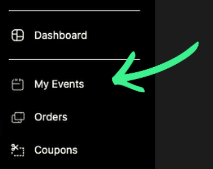
From your dashboard, click My Events.
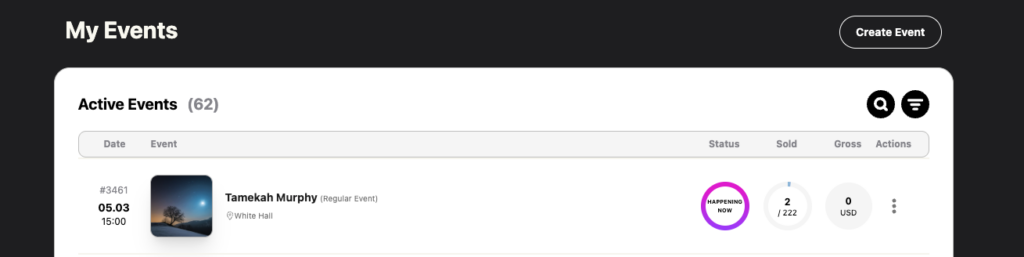
Find the event you want to manage.
Click the event name to open the Event Management page.
• Step 2
Locate the Available Tickets Table
Once inside the Event Management page, scroll to the section called Available Tickets.
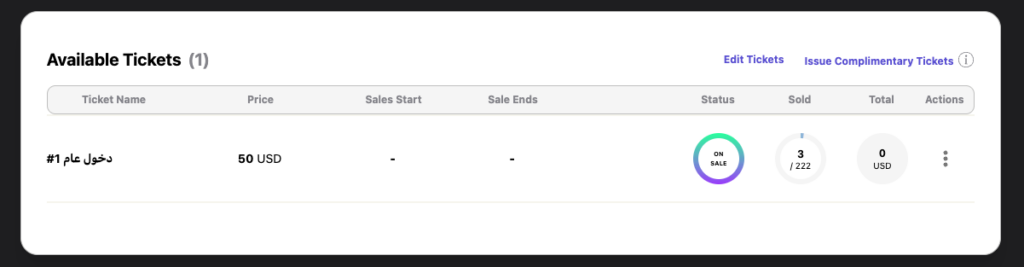
This table displays all ticket types created for the event, such as:
- General Admission
- VIP Tickets
- Backstage Passes
- Early Bird Tickets
At the top right corner of this table you will see two options:
- Edit Tickets
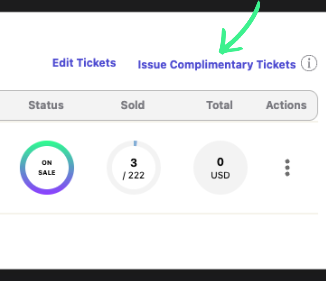
- Issue Complimentary Tickets
Click Issue Complimentary Tickets.
• Step 3
Select Ticket Type and Quantity
A pop-up window will appear asking you to choose the ticket details.
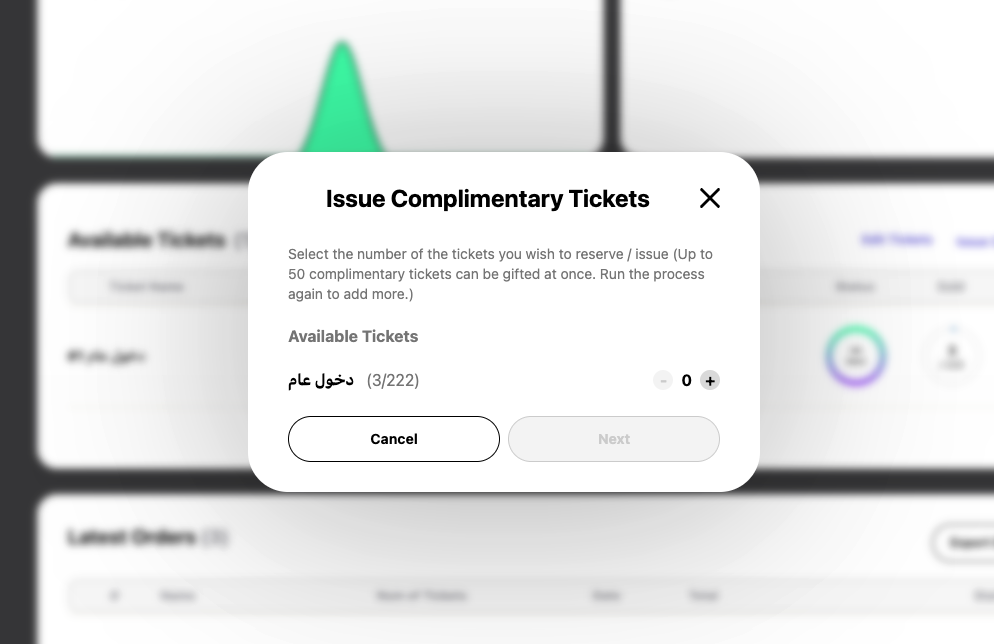
Here you will:
- Select the ticket type you want to issue (for example VIP or General Admission).
- Enter the number of complimentary tickets you want to create.
- Click Next.
• Step 4
Choose How the Tickets Are Issued
You will then see two options:
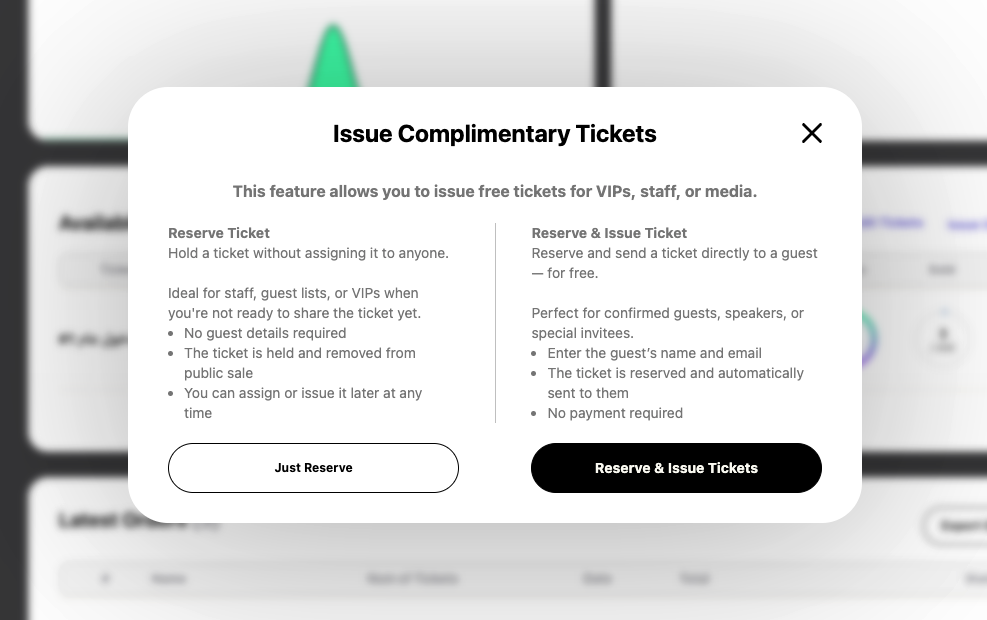
Reserve
The Reserve option holds the ticket without assigning it to a specific person.
This is useful if you want to keep tickets available for guests but do not yet know who will receive them.
Issue & Reserve
The Issue & Reserve option assigns the ticket directly to a specific guest and sends them their ticket.
• Step 5
Send the Complimentary Ticket
If you choose Issue & Reserve, you will be asked to enter the guest’s information:
- Guest name
- Guest email address
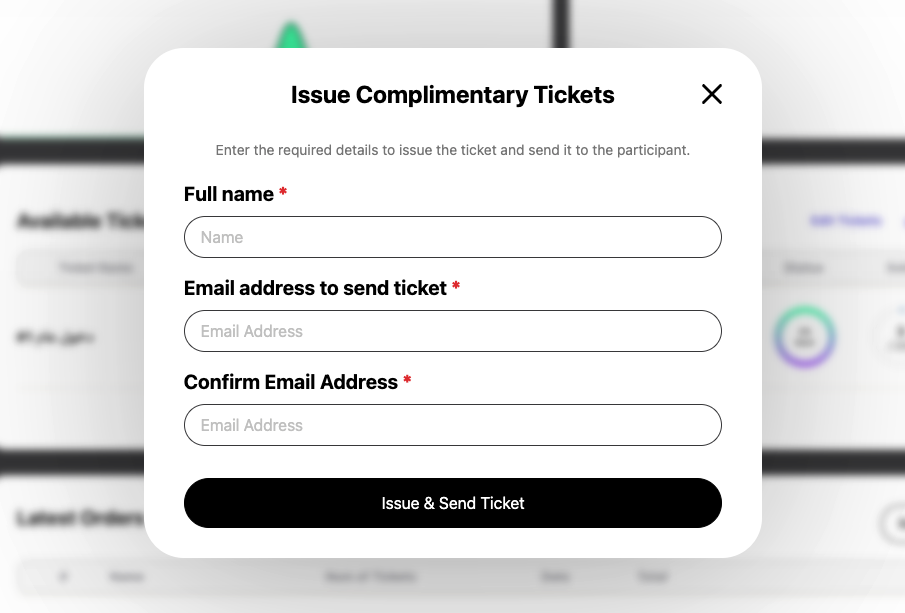
Once you click Issue & Send Ticket, Tzkrti will:
- Generate the ticket automatically
- Email the ticket to the attendee
- Inform them that the ticket was issued as a complimentary ticket
Tip
Complimentary tickets still count toward your total ticket capacity, so make sure the event has enough available tickets before issuing them.