
Before you can receive payouts from ticket sales on Tzkrti, you must complete your billing information and add a payout method.
This guide explains how to set up your billing details and connect your bank account or PayPal so you can withdraw your event earnings.
Open Payment Settings
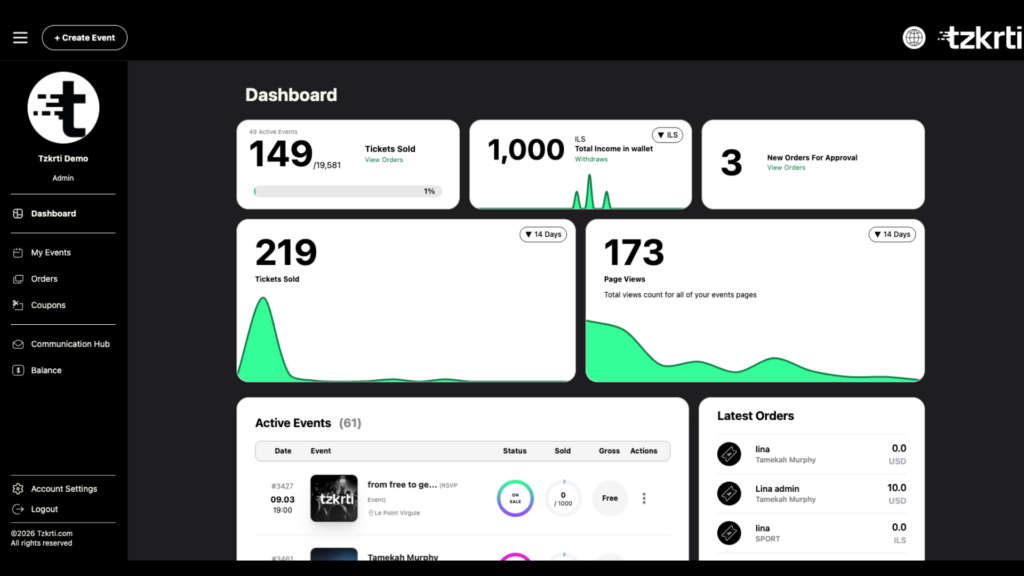
- Log in to your Tzkrti organizer account.
- Go to your Organizer Dashboard.
- Click Account Settings in the bottom-left corner.
- Select the Payment Info tab.
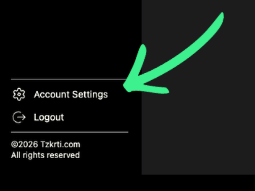
This section is where you manage all billing and payout information.
Enter Billing Details
Your billing details are required for invoices, financial records, and payout processing.
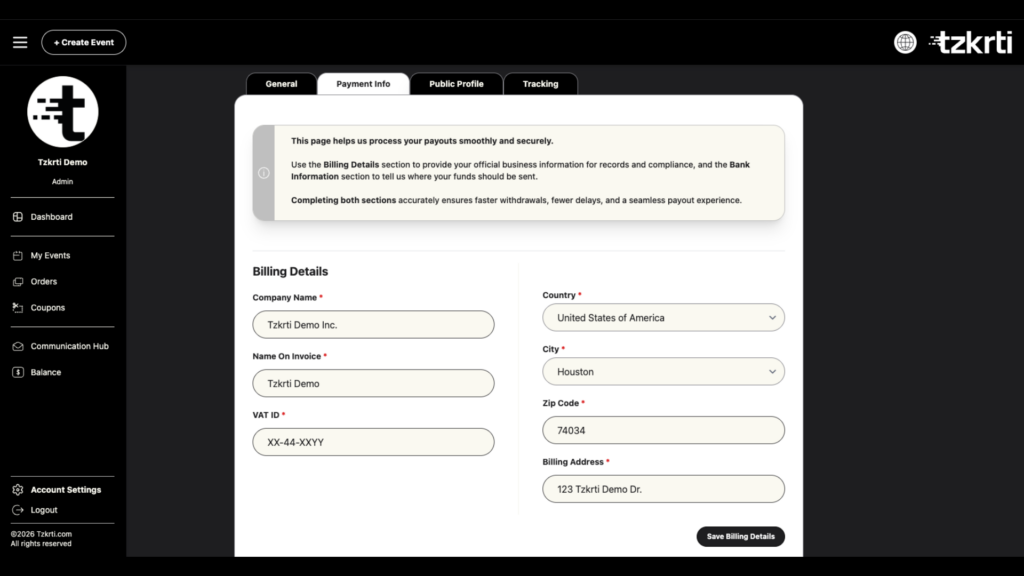
In the Billing Details section, enter the following information:
- Company Name
- Name on Invoice
- VAT ID (if applicable)
- Country
- City
- ZIP / Postal Code
- Billing Address
Once completed, click Save Changes.
Providing accurate billing information helps avoid delays when requesting withdrawals.
Add a Payout Method
After saving your billing details, scroll down to the Bank Accounts section.
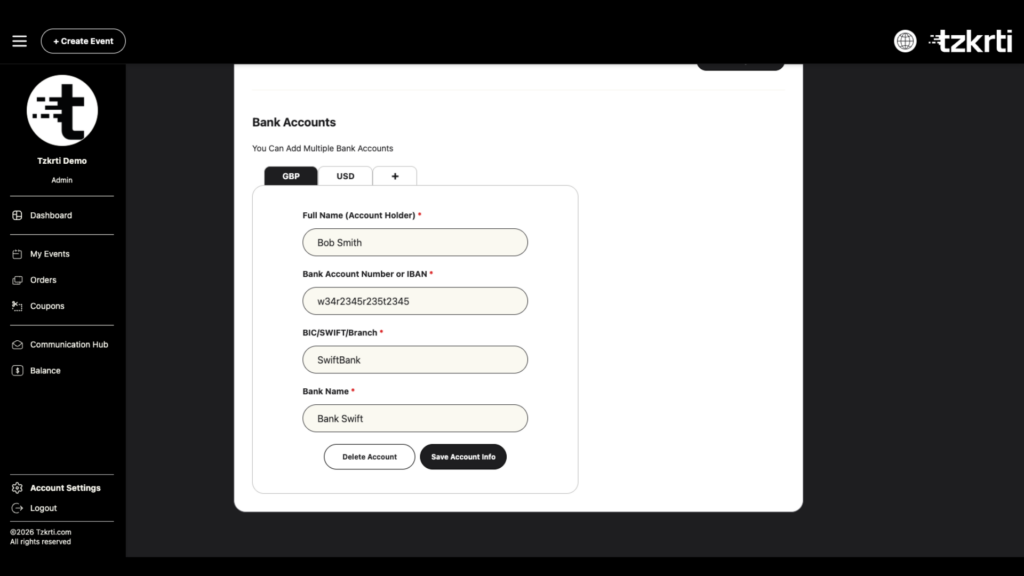
You can choose one of the following payout options:
Bank Account
You can add one or more bank accounts to receive payouts.
Tzkrti allows organizers to add bank accounts in multiple currencies.
Simply click on the “+” at the top of the table and select whether you would like to add a new currency or a PayPal account to add a new payout method.
PayPal
You may also connect your PayPal account as a payout method.
This allows withdrawals to be transferred directly to PayPal.
Important Notes
- Billing details must be completed first before adding a payout method.
- A bank account or PayPal account is required before requesting withdrawals.
- Make sure all information is accurate to avoid delays in processing payouts.
Next Steps
Once your billing information and payout method are set up, you will be able to request withdrawals from your event earnings.
You can update your billing details or payout accounts at any time through the Payment Info tab in Account Settings.