
This guide walks you through the steps to apply as a Tzkrti Partner and start hosting events on our platform.
Becoming a Tzkrti Partner allows you to create, promote, and sell tickets for your events through an Arabic-first, mobile-friendly platform trusted by hundreds of thousands of attendees worldwide.
Step-by-Step: Becoming a Tzkrti Partner
– Access the Partner Section
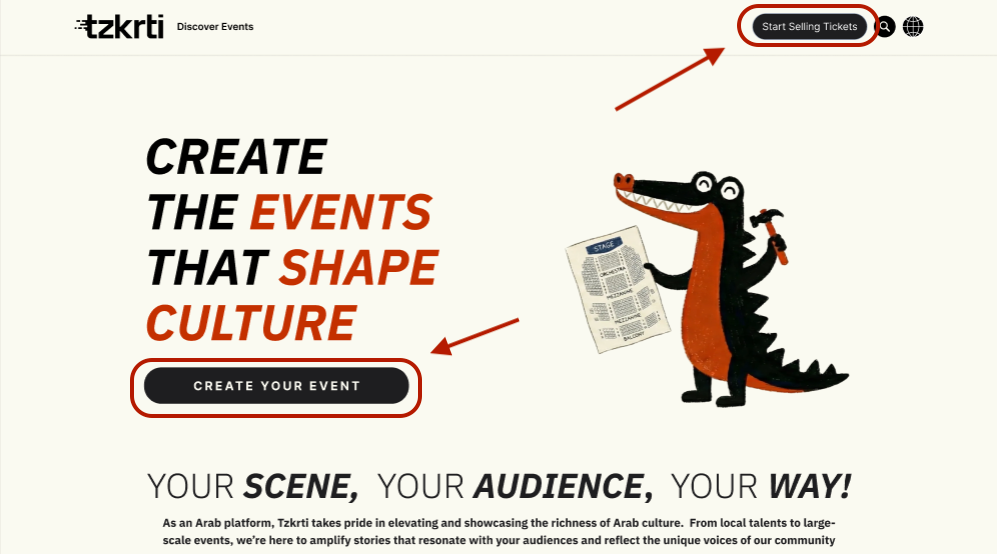
From the Tzkrti website header menu, select Create Event. This will take you to the dedicated partner page.

– Learn About the Benefits (or Skip Ahead)
On this page, you’ll see an overview explaining why organizers choose Tzkrti. At this stage, you have two options:
- Explore the benefits of partnering with Tzkrti, including:
- An Arabic-first platform built for your audience
- Proven credibility with over 500,000 tickets sold
- Seat maps and flexible ticket types
- Real-time analytics and reporting
- Built-in marketing and promotional tools
- Proceed directly to the application if you’re ready to get started by clicking on the “Start Selling Tickets” in the menu bar in the top right, or by clicking on the “Create Your Event” button.
– Start Your Application
Click the Create Your Event call-to-action. This will open the partner application form.
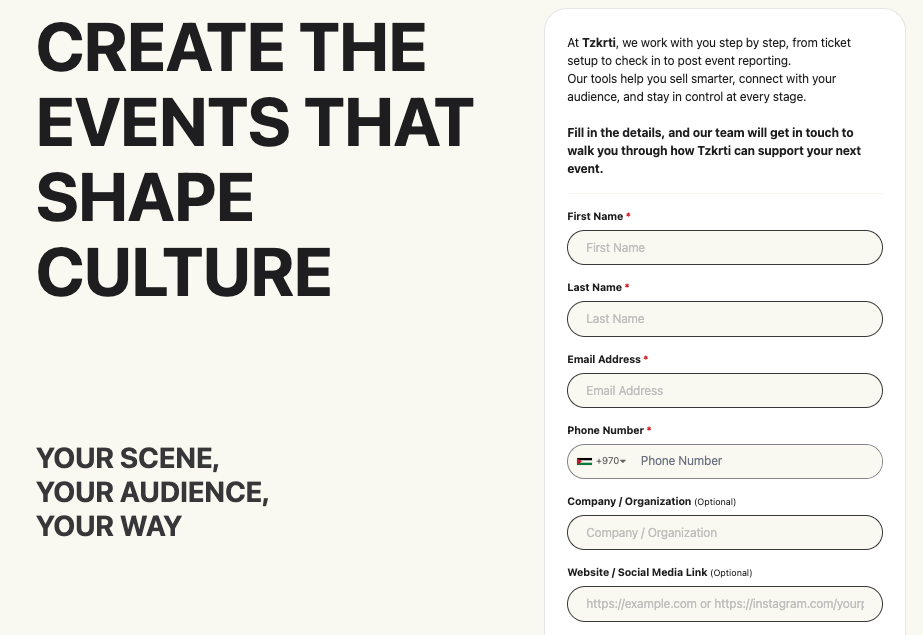
– Complete the Partner Application Form
The form collects basic information to help us review your request efficiently:
- Personal & Contact Information (Your name and contact details)
- Organization Details (Whether you’re applying as an individual or on behalf of a company or organization)
- Online Presence (Optional)
- Website
- Social media links
- Location
- Additional Information (Optional) – An open text field to share anything relevant about you or your events
- Upcoming Event Confirmation
- A yes/no question: “Do you have an upcoming event?”
- If you select Yes, two additional fields will appear:
- Event city (required)
- Event date (optional)
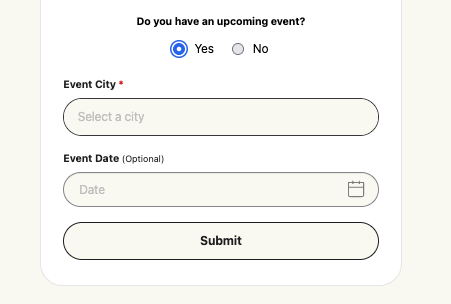
Once all required fields are completed, submit the form.
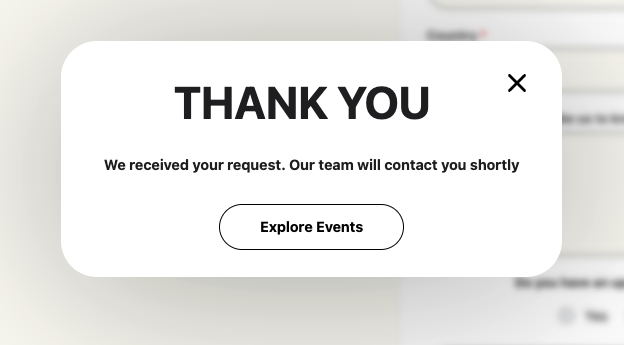
– Review & Approval Process
After submission:
- Your application is sent to the Tzkrti Operations Team for review.
- If approved, the Operations Team will:
- Create your organizer account
Send your login details and next steps to you via email
- Create your organizer account
What Happens Next?
Once you receive your account credentials, you’ll be able to:
- Log in to your organizer dashboard
- Create and manage events
- Set up tickets, pricing, and payouts
- Track sales and attendee activity in real time