
Your Organizer Profile is how attendees recognize you, trust you, and connect with your events on Tzkrti. A complete profile also ensures smooth payouts and gives you access to tracking and analytics tools.
Let’s get it set up properly.
Access Your Organizer Profile Settings
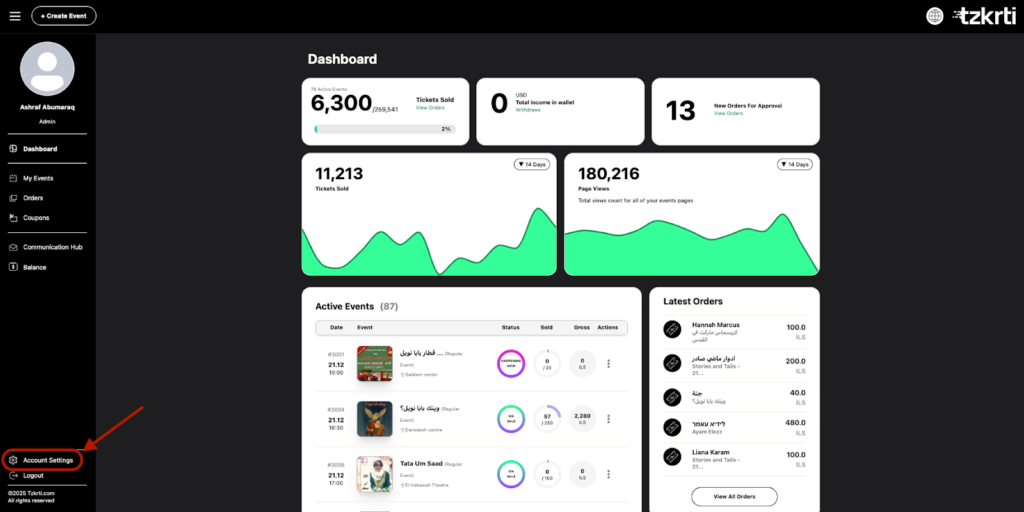
- Log in to your Tzkrti account and head to the Organizer Dashboard.
- From there, click Account Settings in the bottom-left corner of the screen.
- This is where you manage all organizer profile information.
Organizer Profile Sections
Inside Account Settings, you’ll see four tabs across the top:
- General
- Payment Info
- Public Profile
- Tracking
Each section plays a different role in how your organizer profile functions.
General
This section includes your basic organizer details:
- Organizer name
- Address
- Email address
- Phone number
- Password management
Why this matters
This information is used for account communication and verification. Keeping it accurate helps avoid delays or issues with your account.
Payment Info
This section is required in order to receive payouts from ticket sales.
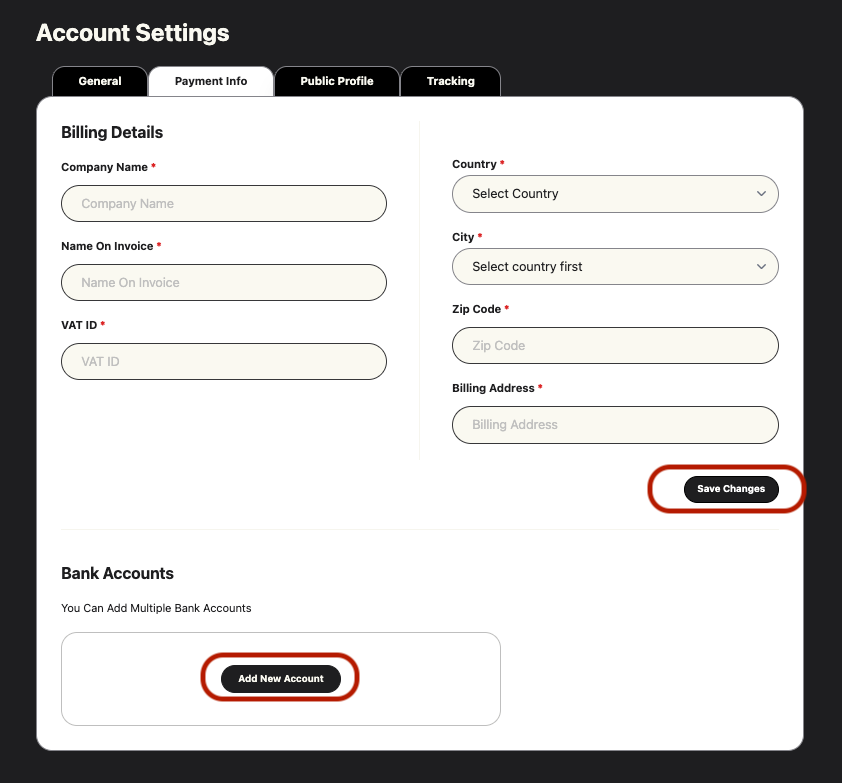
This section is essential to avoid any interruptions to your payouts. Please make sure you enter the correct billing information associated with your account. Once you’ve completed this section, click save changes, then scroll down to the Bank Accounts section to “Add New Account” or to connect your PayPal to receive your ticket sales payouts.
⚠️ Important
Both “Billing Details” and “Bank Account” information must be completed before payouts can be processed.
– Billing Details
- Company name
- Name on invoice
- VAT ID (if applicable)
- Country
- City
- Zip code
- Billing address
– Bank Accounts
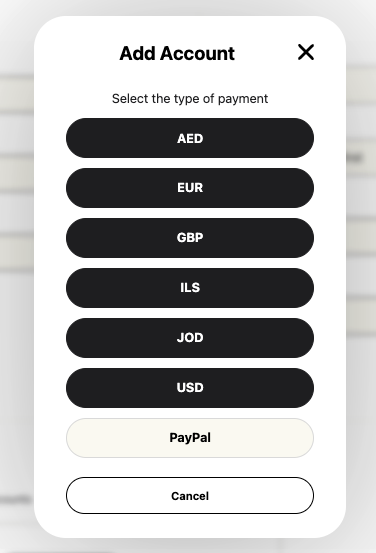
- Add bank accounts in multiple currencies
- Or choose to receive payments via PayPal
⚠️ Important
Your payment details must be completed before you can request a payout.
Public Profile
Your Public Profile is what attendees see when browsing and viewing your events.
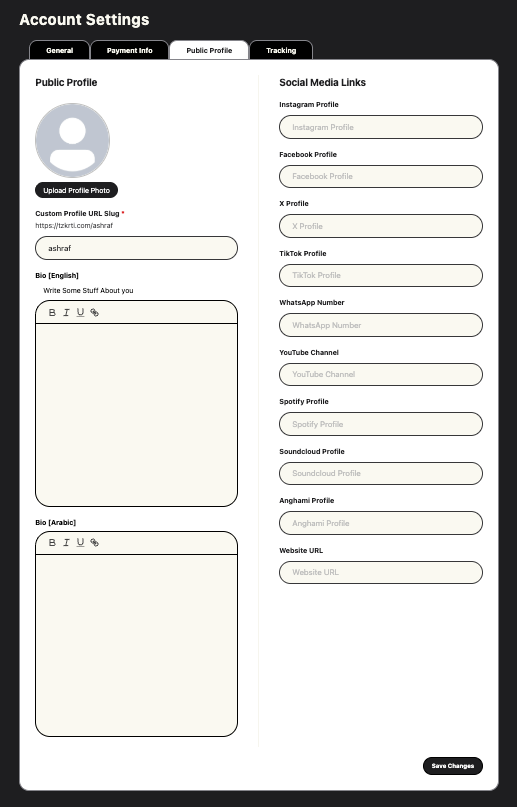
Here you can:
- Upload an organizer photo or logo
- Customize your organizer URL slug
- Write an organizer bio in English and Arabic
- Add social media links
- Include streaming platforms or a website
Pro tip
Organizers with complete profiles appear more credible and tend to convert better.
Tracking
The Tracking section allows you to connect your marketing tools.
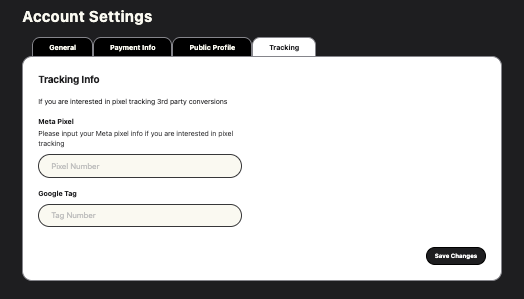
You can:
- Add Meta (Facebook) pixels
- Add Google tags
Why this matters
Tracking helps you understand where your audience is coming from and which campaigns are driving ticket sales.
Final Check
Once all sections are filled out, your Organizer Profile is fully set up and ready to support your events from discovery to checkout to payout.
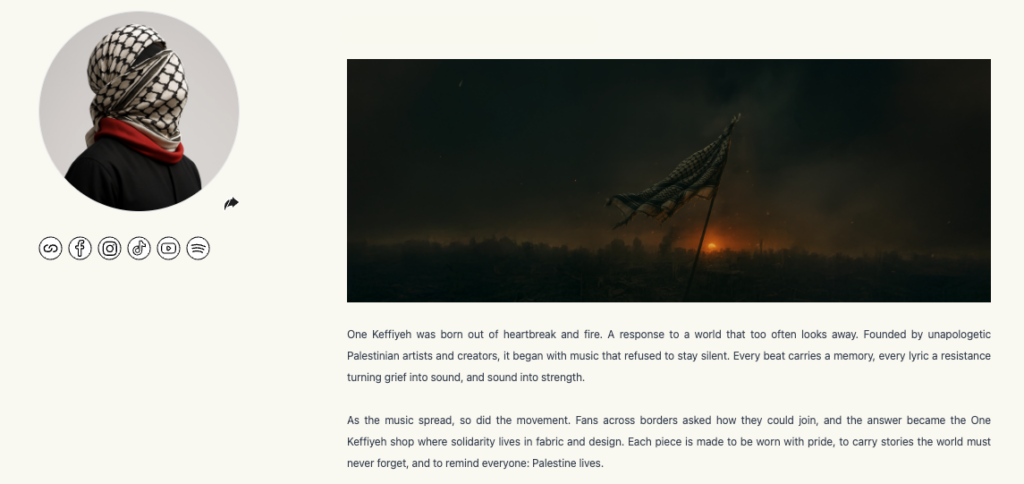
Before you move on, we recommend visiting your public organizer page on Tzkrti to see your profile exactly as attendees will. This is a great opportunity to double-check your bio, images, and links and make sure everything tells the right story.
You can return and update your profile at any time as your brand or events evolve.