
Once your event has generated ticket sales, you can withdraw your earnings directly from your Organizer Dashboard.
This guide explains how to request a withdrawal and track your payout.
Before You Request a Withdrawal
Before you can withdraw funds, you must first complete your billing details and payout method.
This includes:
- Billing information
- Bank account or PayPal connection
If you have not set this up yet, please follow this guide first:
➡ How to Set Up Billing Details and Bank Accounts for Payouts
Without completing these steps, withdrawals cannot be processed.
• Step 1
Go to the balance Page
- Log in to your Tzkrti organizer account.
- Open your Organizer Dashboard.
- Navigate to the Balance section in the side menu.
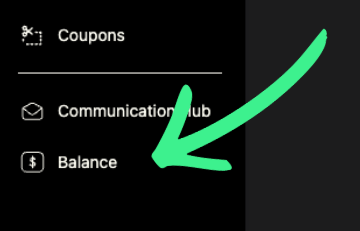
Here you will see a table showing your event earnings and available balance.
• Step 2
Review Your Event Earnings
The Events Earnings table displays the balance available for each event.
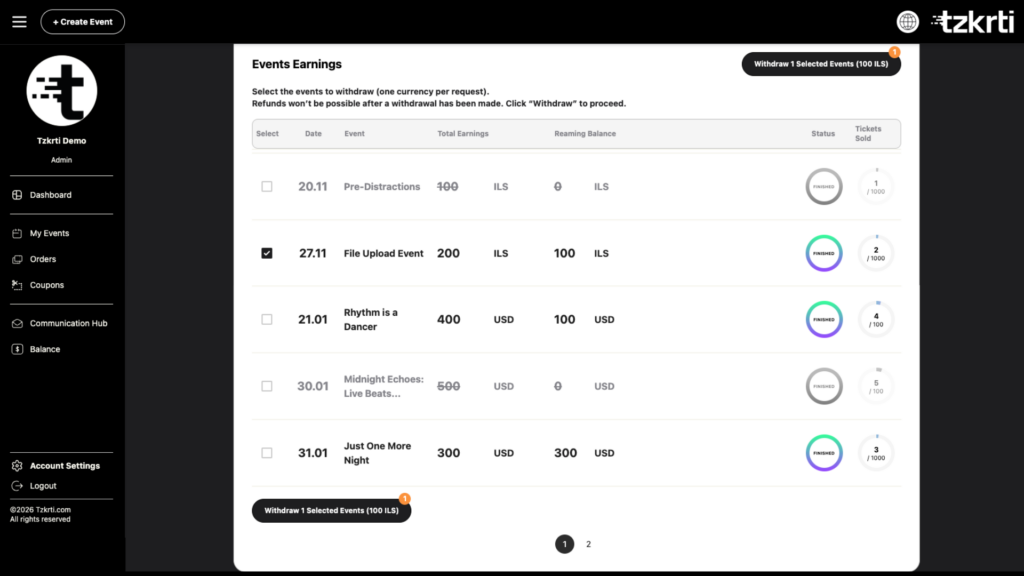
For each event, you will see:
- Event name
- Total earnings
- Available balance
- Withdrawal option
Only available balances can be withdrawn.
• Step 3
Request a Withdrawal
To withdraw funds:
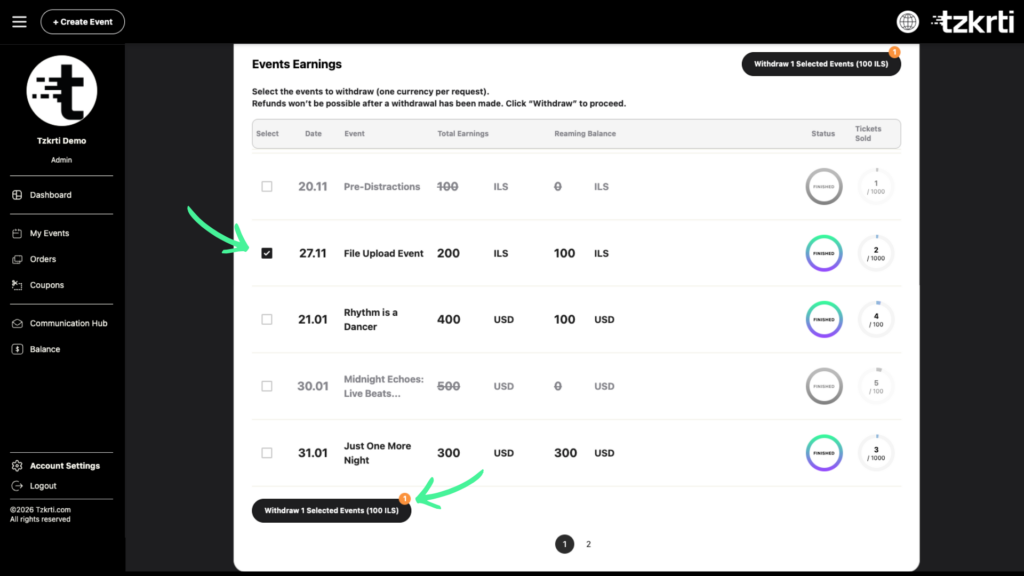
- In the Events Earnings table, locate the events you want to withdraw from.
- If you want to withdraw from multiple events, make sure the events use the same currency.
- Use the checkbox on the left side of each event to select the events you want to withdraw from.
- Once selected, click the Withdraw button.
Your withdrawal request will then be processed using the payout method you previously added.
Track Your Withdrawal History
Once a withdrawal is submitted, it will appear in the Transaction History table.
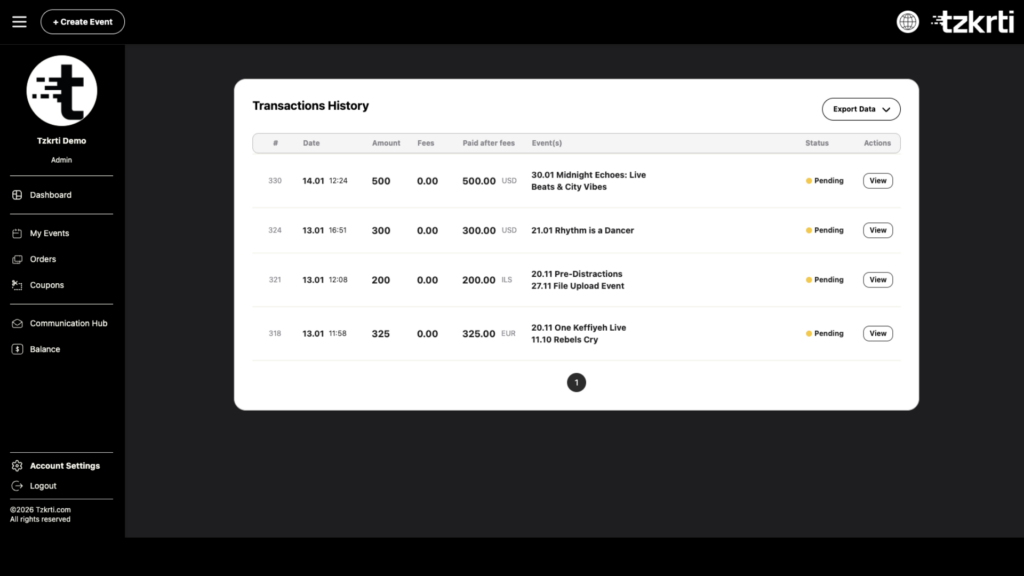
This section shows:
- Withdrawal date
- Amount withdrawn
- Payout method
- Transaction status
This allows you to keep track of all past withdrawals and payouts.
Important Notes
- You must complete billing details and payout setup before requesting withdrawals.
- Withdrawals are processed using your selected bank account or PayPal account.
- You can monitor the status of your payouts in Transaction History.
Need Help Setting Up Payments?
If you have not yet configured your billing details or payout method, follow this guide:
➡ How to Set Up Billing Details and Bank Accounts for Payouts